
Cursor Error: Your Conversation is Too Long
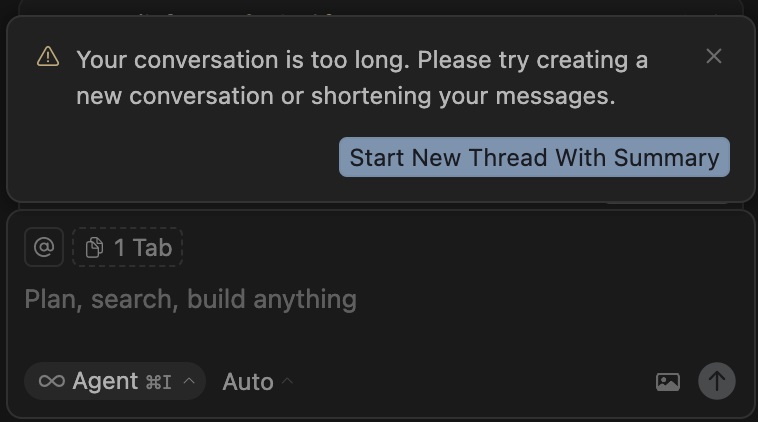

Cursor Error: Your Conversation is Too Long Please try creating a new conversation or shortening your messages.
How to Fix This Error?
Starting a New Chat (Most Common Method): The most frequently suggested solution is to open a new chat window when encountering the error. This resets the context and temporarily fixes the issue. However, as you mentioned, this disrupts workflow and causes the loss of previous context.
Managing Context Manually:
- Remove Unnecessary Files:Â Manually exclude files automatically added to the chat (e.g., Jupyter Notebook files) or those no longer needed.
- Be Specific:Â Instead of broad references likeÂ
@codebase, manually attach only the relevant files usingÂ@. - Break Tasks into Smaller Steps: Rather than asking the AI to edit a large file at once, use commands like “Please edit the file in small chunks” to help the model focus better.
- Use a Software Specification (
spec.md): For larger projects, create aÂspec.md file outlining the project’s structure, requirements, and data model. Referencing it (@spec.md) in new commands helps the AI retain the broader project context. - Enable “MAX” Mode: Some users report that switching to “MAX” mode (which offers a larger context window) resolves the issue, though this may incur additional costs depending on usage.
Comments
Related Posts

SORA 2 Invite Code Methods The buzz around Sora 2, OpenAI’s groundbreaking text-to-video AI model, is undeniable, but gaining access remains a challenge. If you’ve been hitting the “Invite Code Required” wall, you’re not alone. Securing a coveted Sora 2 invite code is the essential first step to unlocking its...

Keevx AI Free Plan Review: If you consider using the Keevx AI tool and are not sure about whether it fulfills your needs or not, read this review we created after testing the Keevx AI. What comes with FREE plan? 5 minute video duration: This means you can create multiple...

Tilly Norwood in White Bikini (AI Video) Welcome to the video page featuring Tilly Norwood in White Bikini (AI Video). This particular piece showcases the entirely artificial intelligence-generated “actress” and digital personality Tilly Norwood, often at the center of discussions surrounding AI’s role in the entertainment industry. This video, which...

How to Generate Adult AI Videos With GROK Do you know that you could generate adult ai videos using Grok AI tool? Here is how to generate AI adult images and videos with Grok: 1- Install Grok Mobile APP 2- Navigate to Imagine function 3- Enter your adult image or...

How to Use Veo 3 in Youtube Shorts : Easy tutorial to find out how to use Google veo 3 AI tool in creation Youtube short videos. Made on Youtube now allows youtube Shorts users to utilize the Veo 3 AI tool to generate 8 seconds long short videos ....

Sora 2 Android APK Download: Is Sora 2 APK available on Playstore, APKpure and APKmirror ? According to an announcement made by the team on the Discord channel, the Android version of Sora 2 is planned to be ready for download in the Play Store as of November 2025. As...